
Make room for
what matters.
Reclaim helps you find clutter on your Mac and choose what to clear.
Nothing is removed until you choose.
About
A full Mac can make even small tasks frustrating. Reclaim helps you see what is taking up space, with clear labels to guide you.
Take a look, choose what you no longer need, and make a little room.
Features
Storage
Check supported folders for application caches, downloads and other files. Results are grouped, sized and labelled. Scan time depends on how many files your Mac contains.
- Safe, Review and Personal, so you know what you are looking at
- Caches deleted outright, your own files to the Trash
- Folders that look disposable but hold real work are checked and left alone
- Nothing is deleted unless you tick it
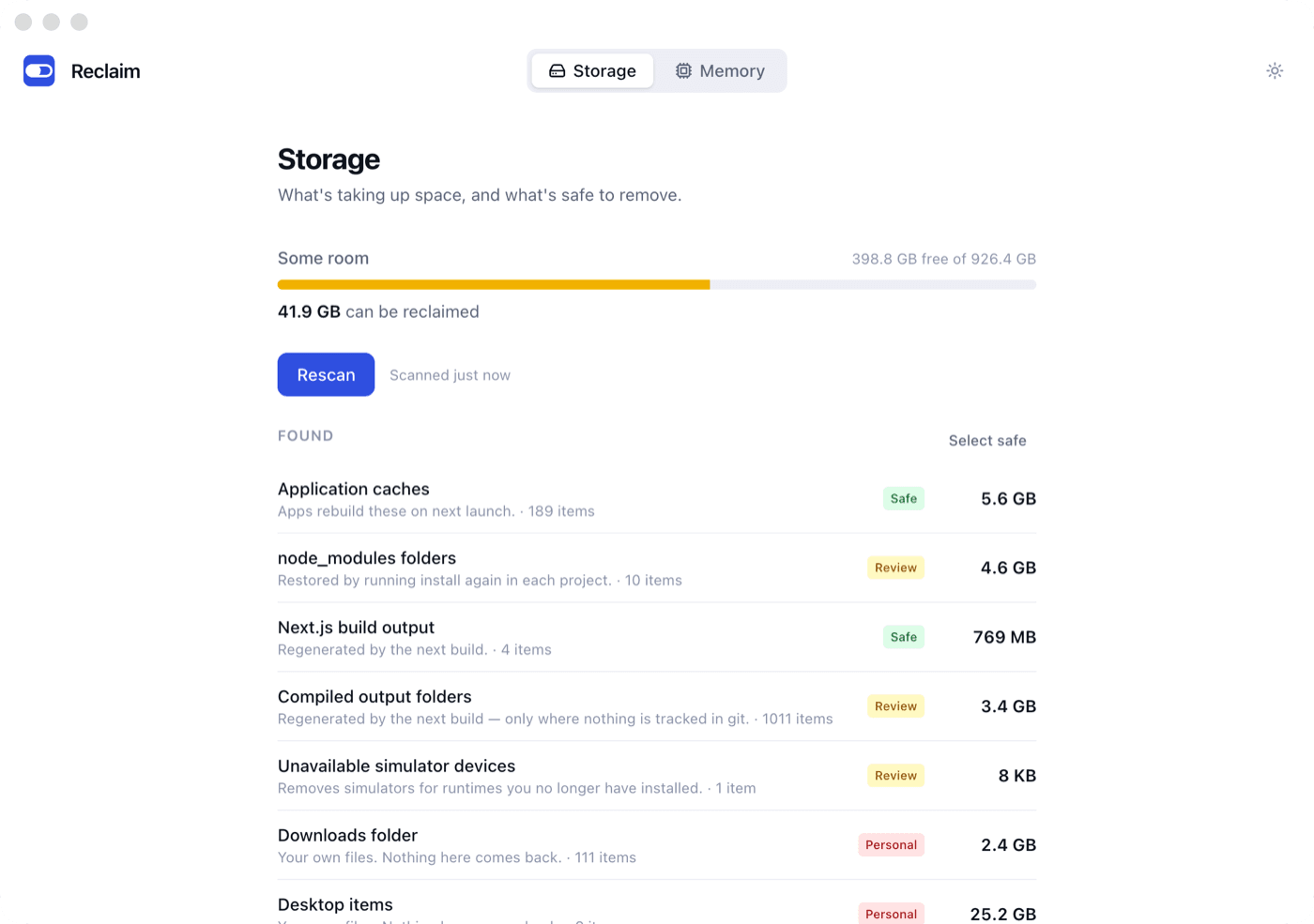
See how reviewing files works
Review before you remove
Interactive exampleApps rebuild these files when they need them. Review the items and their sizes before selecting any.
Some apps need to download their cached data again. Check the explanation before removing anything.
These are your files. Keep anything you still need. Selected personal files go to the Trash, where you can restore them until it is emptied.
Scan your Mac → Review the results → Choose what goes
Example categories. This page does not scan your Mac; your results will depend on its files and permissions.
Memory
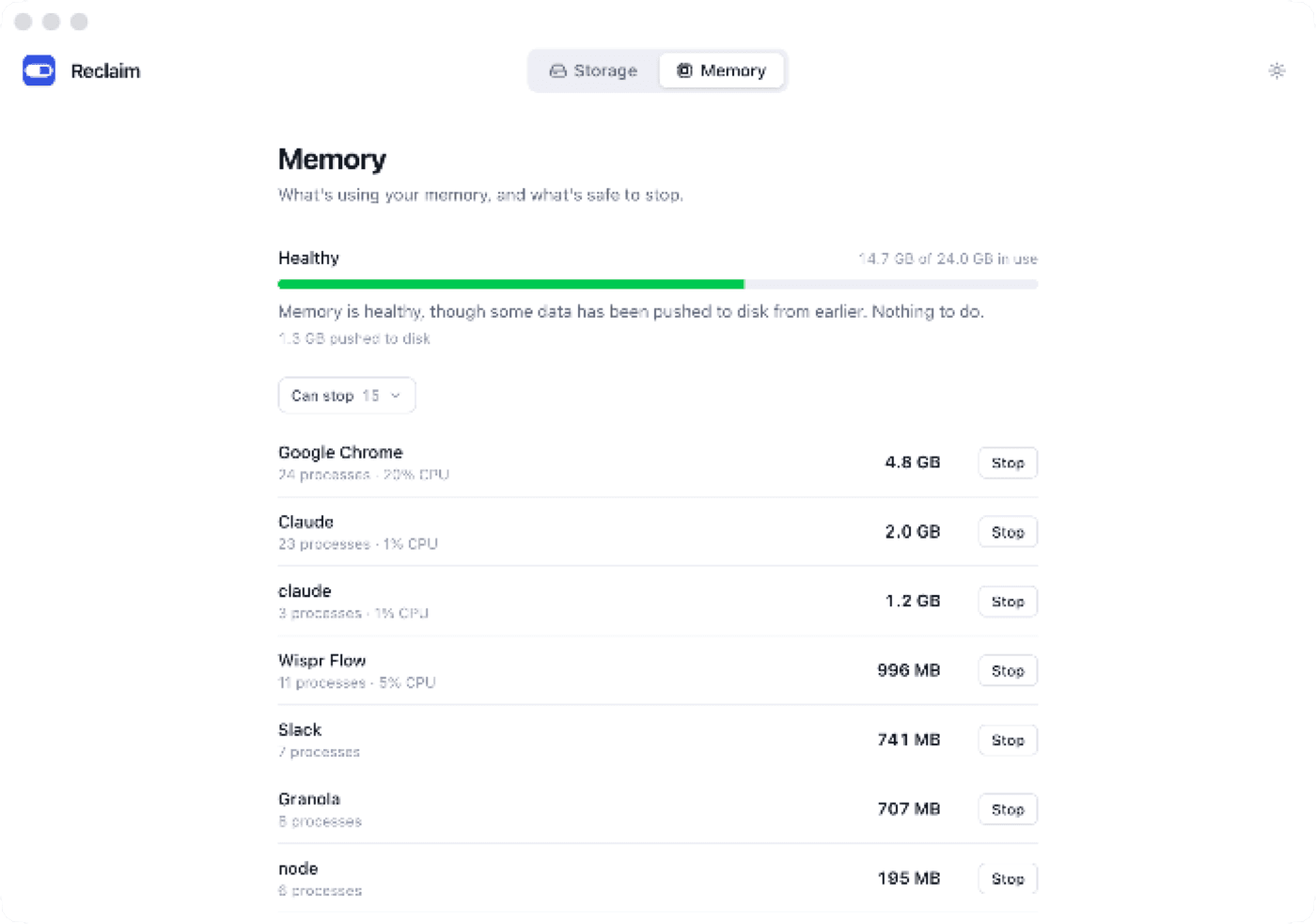
When too many apps and tabs slow things down, Reclaim shows what is holding the memory and what is safe to stop.
- Helper processes grouped under the app that owns them, so thirty Chrome processes become one row
- Memory pressure and swap, which is what actually predicts a slow Mac
- Anything macOS needs is protected and cannot be stopped
- No fake “free up RAM” button. It makes things slower, not faster
Questions
Is this a subscription?
No. Pay once and keep every future version. Your price and any current offer are shown at checkout, before you pay. There is nothing to cancel.
Can I use it on more than one Mac?
Yes. Your licence key works on any Mac you own. Download it again with the same key.
What if I lose my licence key?
It is printed on your Stripe receipt. You can also sign in to Stripe with the email you paid with; Stripe emails a link to that address and your key is on the invoice inside.
Could it delete something I need?
Nothing is deleted unless you tick it. Anything you made goes to the Trash so it can be put back, and only caches are removed outright. Folders that look disposable but hold real work, such as a build folder with committed files in it, are checked and left alone.
Does it send my files anywhere?
No. Reclaim runs entirely on your Mac. It has no account, no telemetry, and never uploads file names or paths. The only network calls it makes are checking for updates and validating your licence.
Why does it need Full Disk Access?
macOS restricts access to some app data and personal folders. Full Disk Access lets Reclaim check its supported folders. Without it, some categories are unavailable and the scan tells you which. It does not upload your files.
Does the memory feature free up RAM?
Not in the way most "memory cleaners" claim. macOS uses spare RAM as cache on purpose, and apps that "free" it throw that cache away and make the next few minutes slower. Reclaim shows what is actually holding memory and lets you stop what you are not using, which is the thing that helps.
What are the requirements?
macOS 12 or later, on Apple Silicon or Intel.
Get the space back.
One payment. Every future version included. Runs entirely on your Mac.
Version 0.2.3 · macOS 12 or later